



When creating a brand new Tax Services client, first make sure the client’s name is not already in Redtail before creating a new contact. Please see the “How to Create New Contact” link. If the client already exists in Redtail then simply fill in the appropriate fields There are certain fields in Redtail that are required specifically for Tax Clients in order for reporting to work correctly.
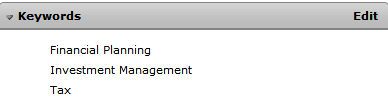
In the Keyword Section of the client profile you must add that they have “Tax” as a BWFA service. In the below example, this client has all 3 BWFA services.
There are other fields located inside the client’s User Defined Fields that should be added if applicable such as “Tax Missing Information”.
